I have too many projects. Starting them is easy; remembering which terminal has the agent working on which one is the hard part.
There’s an agent helping with the Minecraft server, another working on my farm app, and one that knows far too much about the USB microphone on my balcony. This blog has its own conversation. So does the SMS bridge. At some point I was spending almost as much time finding the right conversation as I was having it.
So I built Threave. It’s an application that runs on my machine and gives all of those coding agents a place to work. I can open a session for a project, watch what the agent is doing, come back to it later, and hand part of the job to another agent when that makes sense.
I wrote an earlier post about the run IDs and other plumbing, back when the project was called Gorchestra. Here’s why I bothered making it, and what I actually do with it.
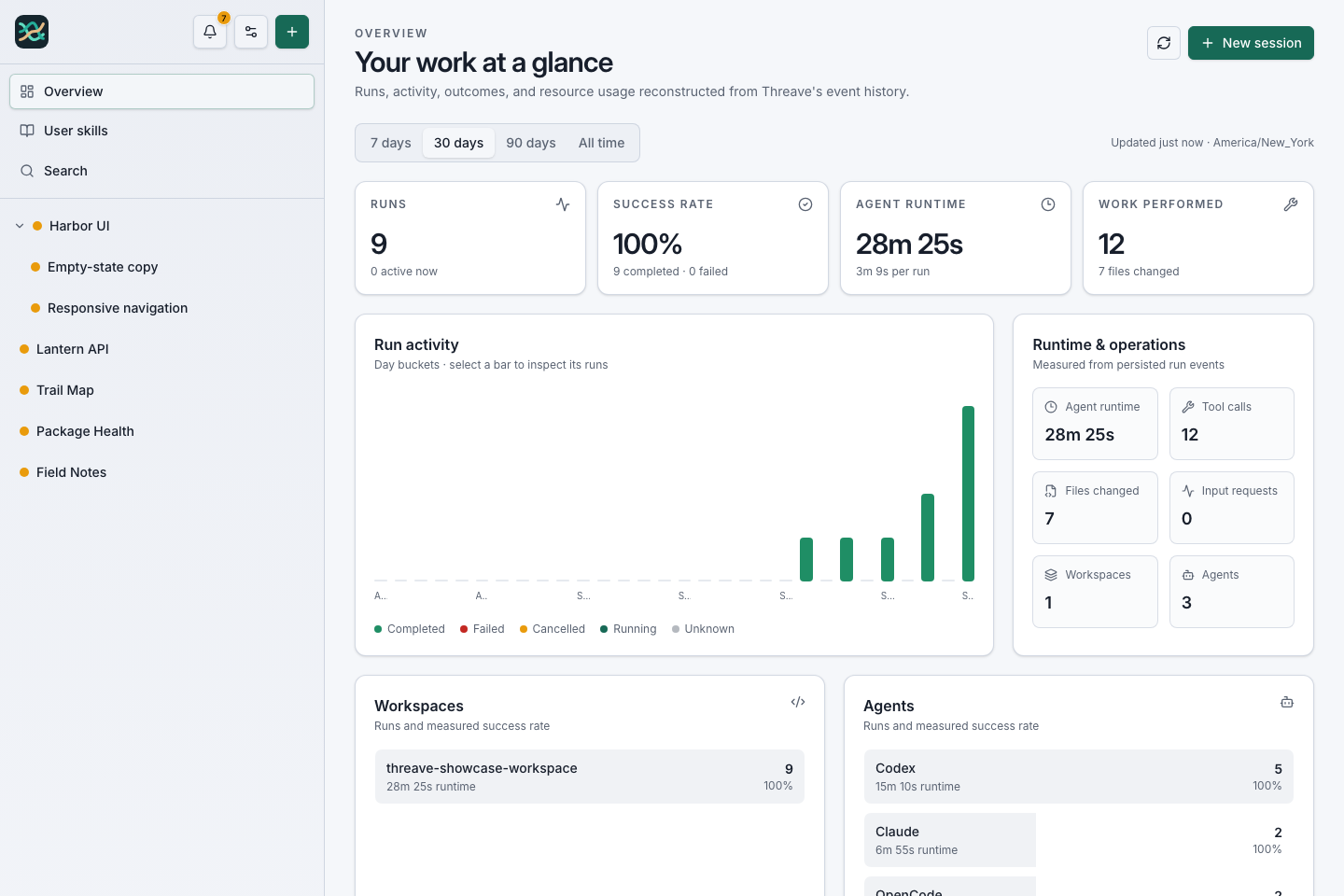
The screenshots and video in this post come from a separate showcase with fictional projects and generated activity. My actual sessions contain rather more personal information.
Too many places to look
I was already using more than one coding agent. Some tasks suit Codex, some suit Claude, and sometimes I want to try OpenCode or Pi. They all have their own way of showing a conversation. That’s fine when the work starts and ends in one sitting. It gets awkward when an agent is running for a while, I step away, and then I want to know what happened.
I kept wanting the same few things: a list of my projects, a record of the work inside each one, and a way to answer “is it still doing something?” without guessing from a spinner in a terminal. I also wanted to use the same setup from my phone. If I remember a Minecraft change while I’m away from my desk, I don’t particularly want to open a laptop just to ask the question.
Threave runs locally and talks to the agent tools I have installed. The sessions, messages, tool output, and results are stored in SQLite on my machine. The web interface reads that history and updates while an agent works. I can reach my running installation privately from my phone through Tailscale. It’s still my computer doing the work; the phone is another window into it.
One session can contain a whole series of requests. My Minecraft session already knows the server setup, the plugins we removed, the warps we restored, and why we haven’t rushed the next Paper upgrade. I don’t have to paste a summary into a new chat every time I think of another question.
One project, a lot of runs
When I ask an agent to do something, it starts a run. That run has its own identity, even if it’s the fifteenth thing I’ve asked in the same session. I can watch the tool calls and file changes as they happen or come back for the result. If the page reloads, the history is still there.
That sounds like a small detail until a job takes an hour, fails halfway through, or gets handed off to another agent. Then I want to know which attempt changed the files and whether the tests actually passed. “Done” is a nice message to receive, but I still like being able to look at what happened before it.
Threave also lets a session create child sessions for separate jobs. Imagine asking an agent to polish a dashboard while another handles the responsive navigation and a third fixes the empty state. The parent can bring the results together; the two pieces stay visible underneath it. The showcase below illustrates that arrangement. Those aren’t real agents working in the recording; the data was created specifically to demonstrate the interface.
A short tour of the synthetic showcase: overview, a parent session and its children, then a follow-up in another project.
I’m using that same parent-and-child setup as I write this. The session you’re reading from lives under my main assistant’s session, in the workspace for this site. Threave gives the agent enough context to know where it is and which run it belongs to. If I ask it to get help on an independent piece, I can follow that work instead of losing it in a second tab.
This blog is a good example
Recently I asked the blog agent to look through my Threave history and pitch five posts. It found the Minecraft server, BirdNET, the SMS bridge, 3D printing, and Threave itself. Then I asked it to write the posts in my style, looked over what it made, and had it deploy them.
That took several conversations over several days. The blog session kept the thread. When I came back to update my bio, it was the same place to work. Today it’s the same session again, with a different post and a set of safe screenshots from the showcase.
This is the part I couldn’t get from a collection of disconnected terminal windows. The history of a project is still available when I return to it. I can search that history, inspect a particular run, and see how one job led to another.
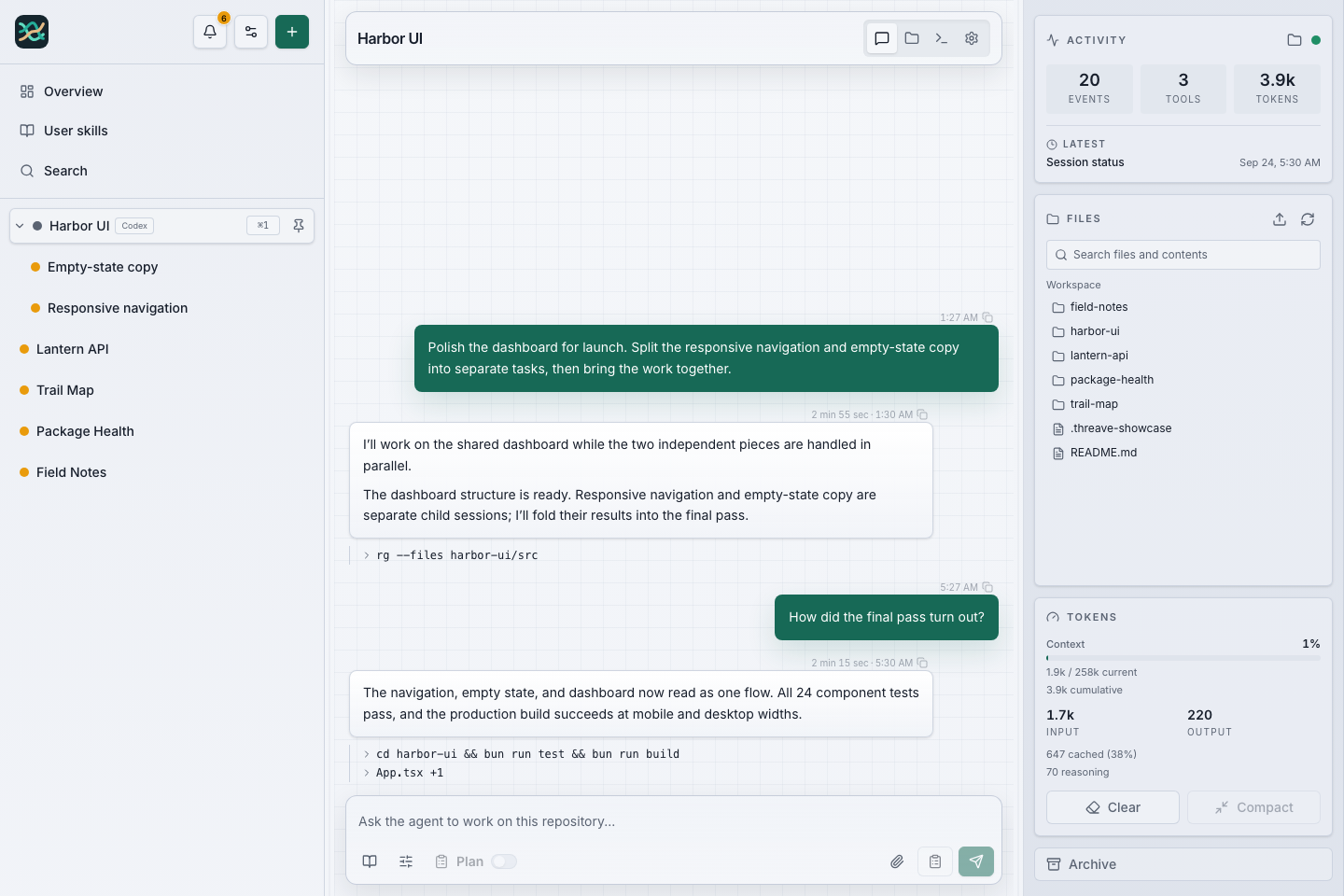
Harbor UI is a fictional project in the showcase. The indented sessions are separate pieces of work under the parent.
It works from the phone, too
I didn’t want to build a mobile version just to check whether an agent finished. But once the web interface worked well enough on my phone, I started actually using it there. I can see the conversation, look at activity, and send a follow-up without sitting down at the desk.
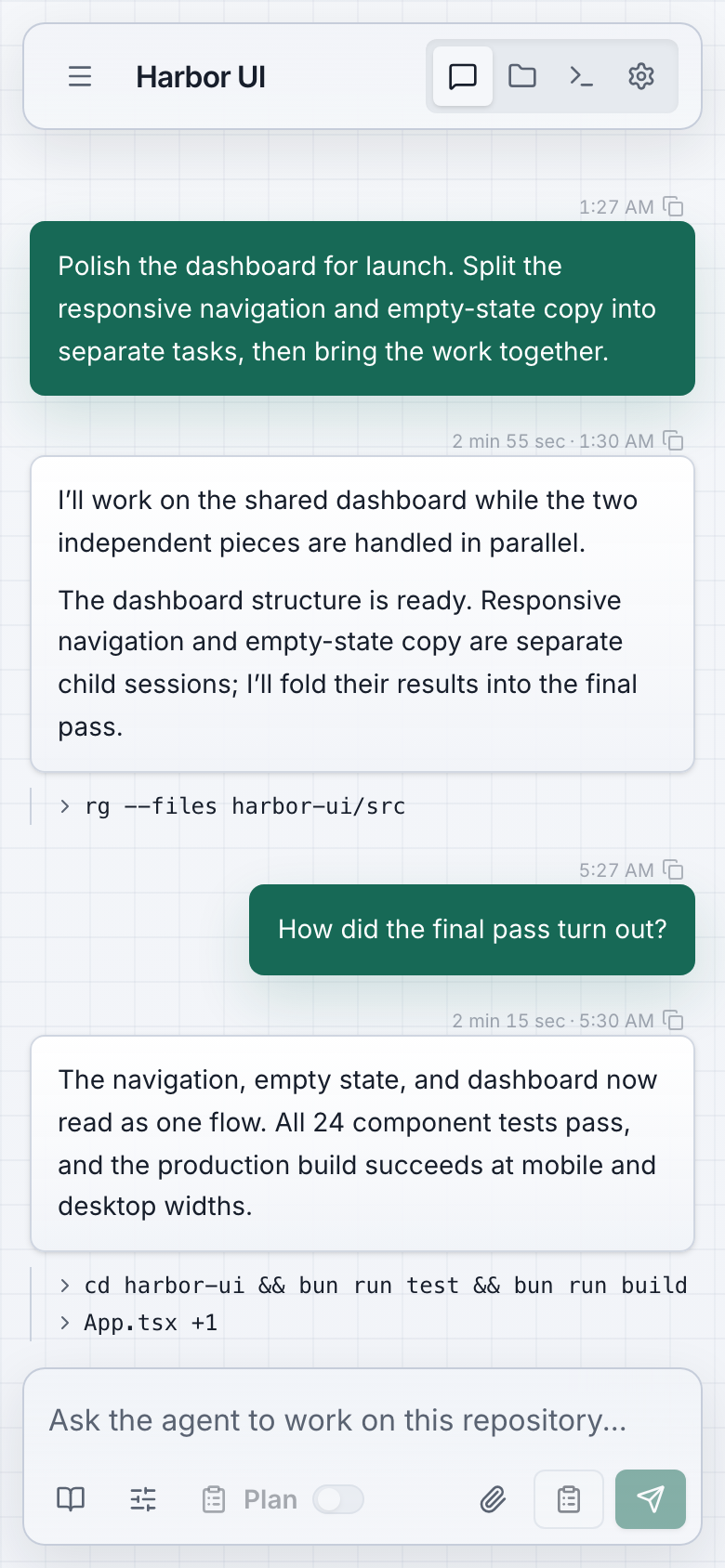
The same fictional session in the mobile layout.
The phone doesn’t magically make every coding task a good phone task. Reviewing a large diff is still easier on a monitor. But checking the result, answering a question, or starting the next step while I’m away is useful. Most of my projects happen around the rest of my life, not in a neat uninterrupted block at my desk.
The mobile interface has also been a steady source of tiny, maddening bugs. At one point a one-pixel upward scroll was enough to stop the conversation from following new output. The screen would announce that I could jump to the latest message even though I’d barely moved my finger. I spent more time than I’d like to admit getting that behavior right.
What I ended up building
Underneath the interface, Threave is a Go service with a React frontend packed into the same executable. It supports several agent providers, and it keeps an ordered record of what they do so the browser can reconnect and catch up. The CLI gives agents a way to start and follow work in other sessions. There’s also a dashboard for the weeks when I wonder how many runs this little habit has turned into.
It started as a tool for me, and it still feels like one. I keep finding the awkward spots by using it: a page that makes it hard to see where a child session went, a result that needs a better receipt, a mobile screen that works only if you already know exactly where to tap. I fix those because I’ll hit them again tomorrow.
I use AI to build a lot of this, which is probably the most Threave thing about Threave. Agents do the implementation work, and the product is where I watch, steer, and check that work. There are plenty of days when I have to question a result or send one back to try again. Having the trail in one place makes that much easier.
My sidebar has projects for software, servers, birds, and a game world. Threave is where I go to find out what they’re all doing. Apparently I needed a tool to manage my tools. I should probably stop starting projects, but that’s not going to happen.
The site has the installation guide, and the source is on GitHub if you want to see how it works.